Introduction to Claude Code on Web
You've been hearing about Claude Code for months now. Maybe you saw it mentioned in a vibe coding YouTube video. Or a LinkedIn post from someone who built their entire SaaS in a weekend. The results looked incredible - people were delegating entire features to Claude and watching it just... handle everything.
But then you looked into it and saw those dreaded words: "command line tool."
If you're coming from Lovable or Replit—tools where everything just works in the browser—the idea of opening a terminal and typing commands probably feels like a foreign concept and a bit intimidating. You've worked hard to find tools that don't require you to be an engineer. Why would you suddenly need to learn terminal commands now?
Here's the good news: you don't have to anymore. Claude Code is now available directly in your browser.
The Terminal Wall
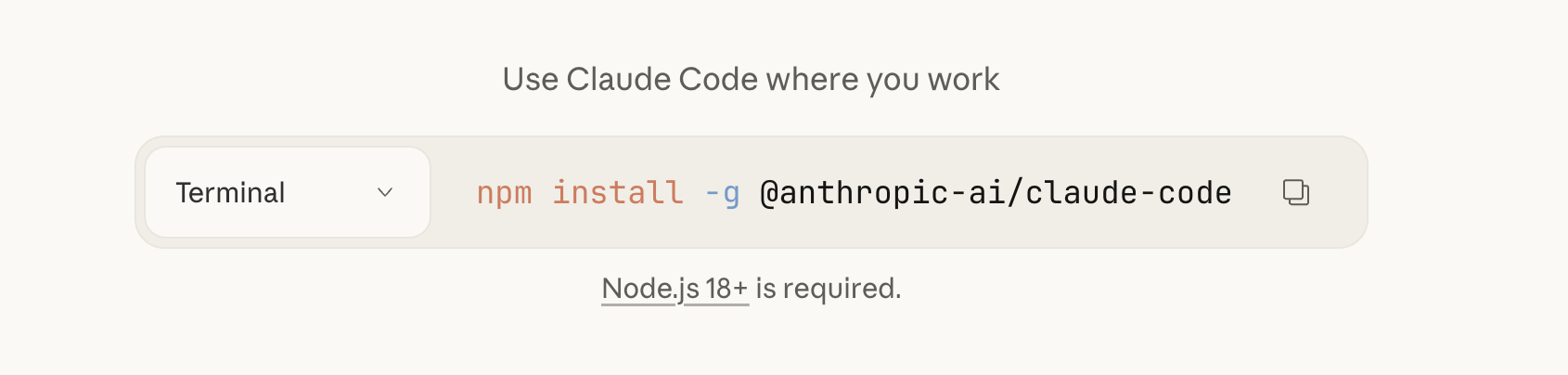 When you first heard about Claude Code you might have felt excited and keen to give it a go. Then you clicked through to the documentation and saw:
npm install -g @anthropic-ai/claude-codeclaude-code initMaybe you were intimidated and didn't bother to try it out. Or, you did give it a go and then came the errors:
npm: command not foundSo you installed Node. Then:
Permission deniedDifferent error. Then you're Googling "how to fix npm permissions Mac" and you're fifteen Stack Overflow tabs deep, and someone's talking about changing ownership of directories, and you're thinking: "I just want to build my app."
What Changed (And Why It Matters)
Just open your browser, describe what you want to build, and let Claude Code get to work.
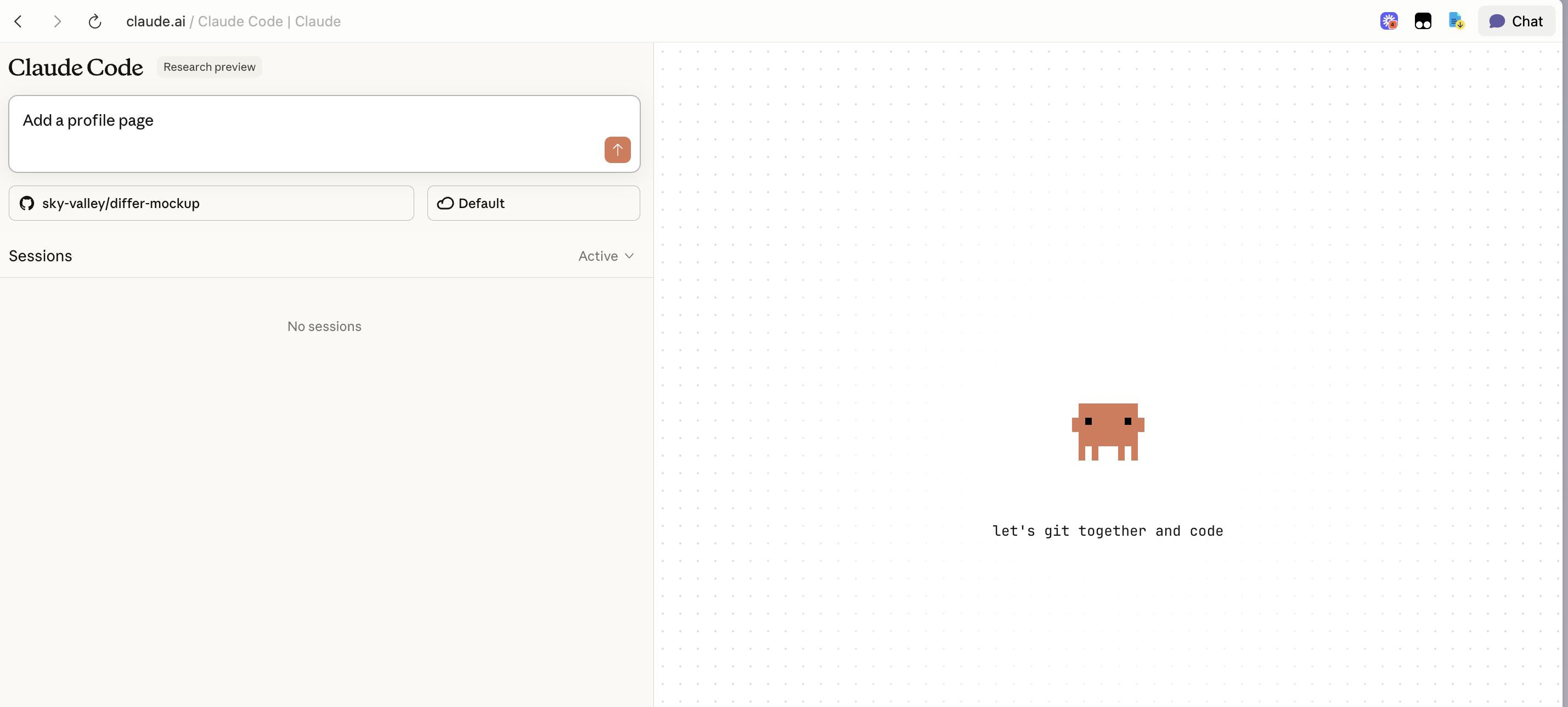
For Lovable Users
Lovable is perfect for getting something up and running fast. But when your project grows, when you need more control, when you want to actually own and understand your codebase—that's where Claude Code shines. And now, it's just as easy to start.
For Replit Users
Think of it as Replit's simplicity meets AI's capability—except now you're the product manager, not the coder.
You can find our full guide on migrating between different AI coding tools.
Getting Started: What to Know Coming from Lovable or Replit
1. Starting a Project: Connect Your GitHub Repo
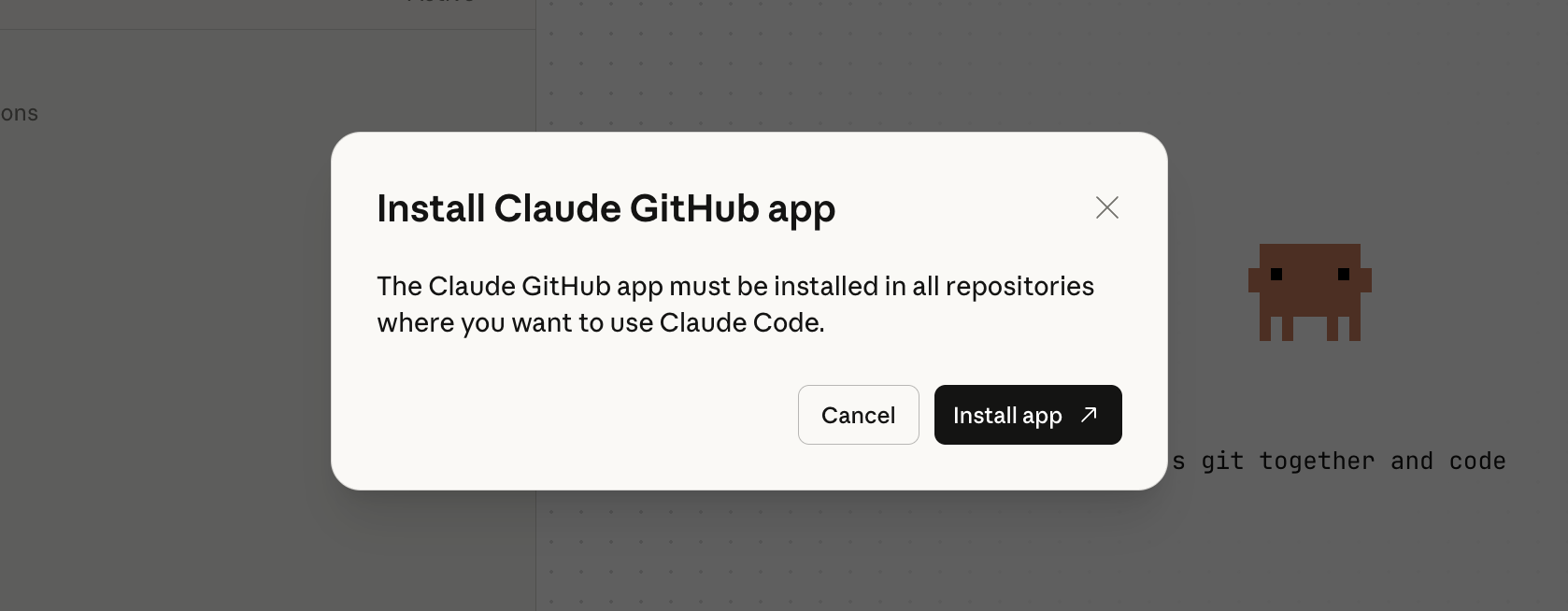
Claude Code works by syncing with a GitHub repository. This might sound intimidating at first, but it's actually simpler than it seems—and it's the key to moving seamlessly between different tools.
If you're starting fresh:
• Create a new repository on GitHub (it's just a few clicks—GitHub will walk you through it)
• Connect that repo to Claude Code
• Tell Claude what you want to build, and it'll handle the rest
If you already have a project in for example Lovable or Bolt: Most of these tools let you push your code to GitHub:
• Export your project to a GitHub repo
• Once your code is on GitHub, just connect that repo to Claude Code
• Now your Lovable project lives in Claude Code, and you can keep building with more power and control. This is also how you move projects between any of your AI coding tools—GitHub becomes the common ground where everything syncs.
2. You Need to Ask for Preview
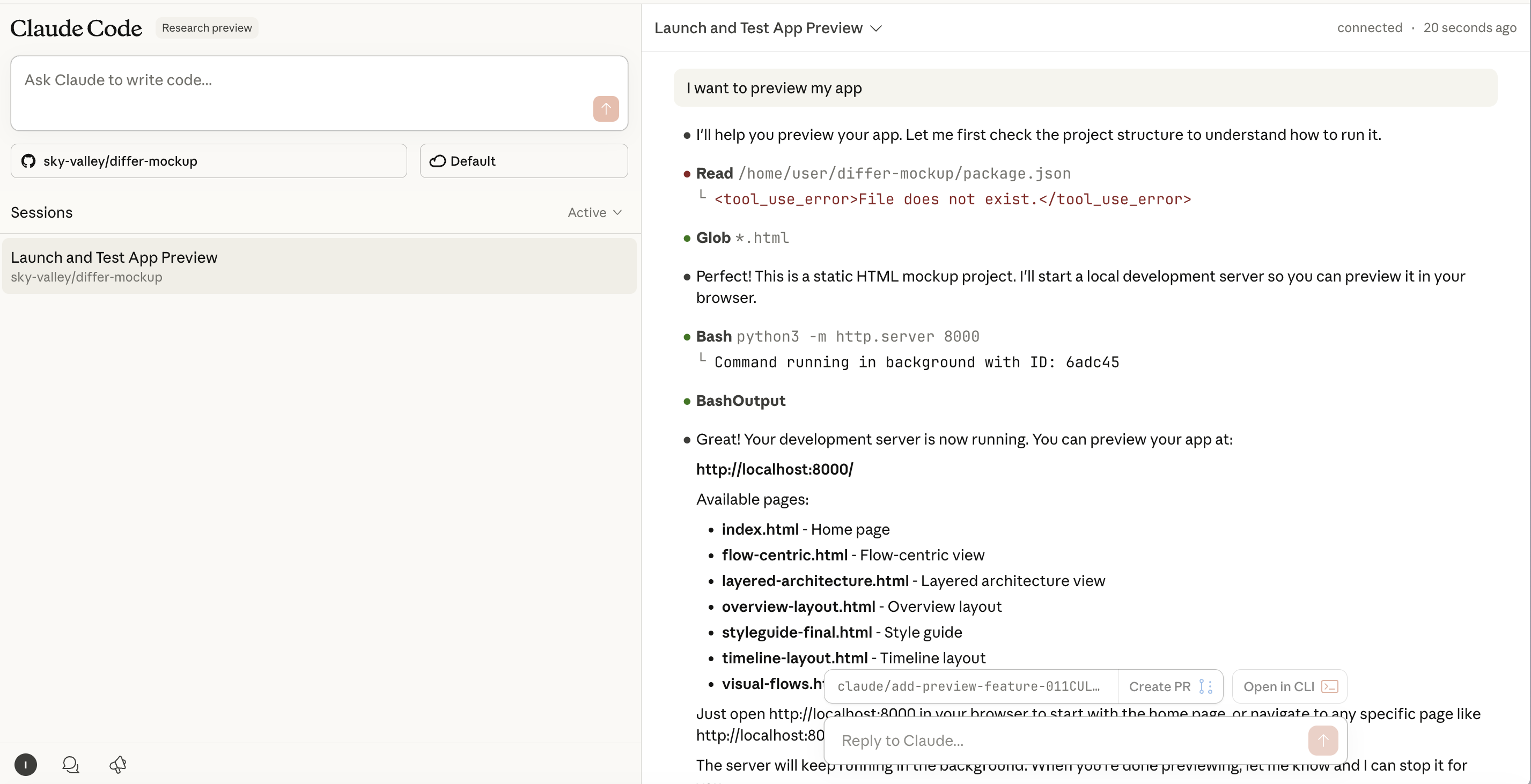
If you're coming from Lovable, you're used to instant previews—make a change, see it immediately. Claude Code is more conversational. After Claude builds your feature, you'll want to ask:
• "Create a preview" or
• "Spin up dev server"
Claude will handle setting up the server and give you a link to view your app. It's one extra step, but it gives you more control over when and how you preview your work.
3. Be Specific About What You Want
Claude Code shines when you give it complete tasks, not just single lines of code. Instead of:
❌ "Add a button"
Try:
✅ "Add a login button to the header that opens a modal with email and password fields. Style it to match our existing blue theme."
The more context you provide about your intent, the better Claude can implement it. Think of it like briefing a developer on your team.
4. Ask Questions About What Was Built
Claude Code is a great tool for learning and discussing what was built:
• "Can you explain how the authentication flow works?"
• "What database tables did you create for this feature?"
• "Walk me through what happens when a user clicks submit"
This is huge for maintaining ownership of your project. You're not just getting code—you're understanding your codebase.
5. Iterate in Conversation
If something isn't quite right, just say so:
• "The spacing looks off on mobile—can you fix that?"
• "Actually, I want the button on the right side, not the left"
• "Can we make this form validation more user-friendly?"
Claude will revise the code based on your feedback. No need to manually edit files or figure out which line to change.
6. Save Your Project Files
This is important: Claude Code generates files in the conversation, but you'll want to download or sync them to keep working on them later. You can:
• Tell Claude Code to push to Github, and it will push your changes to the connected Github Repo.
• Use a tool like Differ to automatically sync everything across all your coding tools
The Tool-Switching Problem
And... yeah. If you're like most vibe coders, you're already juggling:
• Lovable for quick MVPs
• Cursor when you need more control
• Maybe Bolt for specific features
• Claude for reasoning through complex problems
• Replit when you need to test something quickly
Each tool is best at something, so you bounce between them. But here's what happens every single time you switch:
• You lose context. The new tool doesn't know what you built in the last one.
• You re-explain your project. Again. For the fifth time this week.
• You wonder: "Which version of this file is the real one?"
• You stress: "If I make changes here, how do I get them back to my main project?"
And when you finally decide to hire an engineer to help? Good luck explaining what happened across four different tools, none of which talk to each other.
Making All Your Tools Work Together
Think of Differ as the invisible layer that sits underneath all your coding tools—Lovable, Replit, Cursor, Claude Code, whatever you're using. It automatically syncs everything, understands what changed semantically (not just technically), and keeps your project organized without you having to think about it.
No Git commands. No "push" and "pull." No wondering if you're about to overwrite something important.
Your Next Steps
And if you're tired of juggling multiple tools, losing context when you switch, or stressing about version control? Differ handles all of that automatically, so you can focus on building instead of managing.
Building something you're excited about? We'd love to hear about it. Differ is in early access for builders who want to maintain ownership as they scale—without becoming Git experts. Join the waitlist to be first in line.